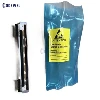
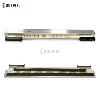
For businesses and locations that need to produce tickets and receipts quickly and efficiently, thermal printers are the best option. They have grown in popularity since they can simply create barcode labels and tags and are quicker than conventional printers.
They don't endure forever, which is the sole drawback. The print head starts to deteriorate after a certain number of pages are printed and stops producing high-quality prints.
But here's how we can help: By utilizing the right cleaning technique, you can increase the lifespan of your printer.
This article teaches how to properly clean a thermal printer so you can increase its usable life and further save maintenance expenditures.
For businesses and locations that need to produce tickets and receipts quickly and efficiently, thermal printers are the best option. They have grown in popularity since they can simply create barcode labels and tags and are quicker than conventional printers.

They don't endure forever, which is the sole drawback. The print head starts to deteriorate after a certain number of pages are printed and stops producing high-quality prints.
But here's how we can help: By utilizing the right cleaning technique, you can increase the lifespan of your printer.
This article teaches how to properly clean a thermal printer so you can increase its usable life and further save maintenance expenditures.
How durable is a thermal printer?
A thermal printer is strong and has a sizable amount of usable life. If you take care of your thermal printer, it should produce good receipt print quality for ten years before the printer head needs to be replaced.
Use the practical step-by-step guide provided below to clean it periodically to extend its usable life.
Environmental pollutants such as paper dust and adhesive can accumulate in printers over time. Paper jams, printing errors, and poor print quality can all be brought on by the buildup of paper dust.
Cleaning Techniques For A Thermal Printer
There are three typical ways to clean a thermal printer:
Cleaning Techniques For A Thermal Printer
There are three typical ways to clean a thermal printer:
Using a cotton swab or rag dampened with isopropyl alcohol is one of the safest ways to clean your printer in a gentle but thorough manner.
Cleaning the printhead and platen roller with cleaning cards: It works well to clean dust accumulation from your platen roller but is less secure than the previous approach and shouldn't be used frequently. It can be ineffective and harmful to use it for routine cleaning of your platen roller.
Using a sanitizing pen For rapid cleanups, printhead cleaning pens work well and last for ten cleanups.
Here is a quick guide on how to effectively clean your printer using the first (and safest!) way.
How To Clean Your Thermal Printer Step-by-Step
It's crucial to thoroughly read through the user's manual before attempting to follow our step-by-step instructions so that you can identify any unique instructions that must be followed for your particular equipment.
Use these steps to clean the thermal printer head.

Step 1: Ensure That Your Printer Is Off
Observe recommended practices and be sure you completely turn off your printer.
Step 2: Open Your Printer Gently But Properly
Proceed to open your printer by lifting the thermal print head access door. This will look like a panel that swings up to reveal the components of your printer including the print head, paper spool, and other internal parts of the printer.
Step 3: Release the Ribbon
To remove the ribbon, press down on the lever of the printer head and pull the ribbon aside.
Step 4: Use Isopropyl Alcohol
Use isopropyl alcohol to dampen a lint-free cloth or rag. You can also use a cotton swab dampened with an alcohol-based solvent.
Step 5: Clean The Printer
Use the damp rag to gently wipe the printhead of your thermal printer several times, being careful to apply adequate pressure. This is necessary to clean any carbon or residue buildup. After cleaning it, wait for a few minutes and allow it to dry completely.
Step 6: Replace the Ribbon
Proceed to replace the ribbon cable and press the printhead back, so it returns to its original position.
Step 7: Close The Access Door
Gently close the access door of your printer and switch on your printer to observe printing quality. Print a receipt or barcode to check the quality.
What To Do If You Have A Thermal Transfer Printer?
For a thermal transfer printer, you can purchase replacement thermal transfer ribbons that have an in-built cleaner. It will automatically remove the buildup each time you install a new roll and pull it through.
How Often Should You Clean Your Thermal Printer?
A golden rule that you can follow is, to clean your printhead each time you change your roll or ribbon. This will streamline your print mechanism and ensure consistent quality.