





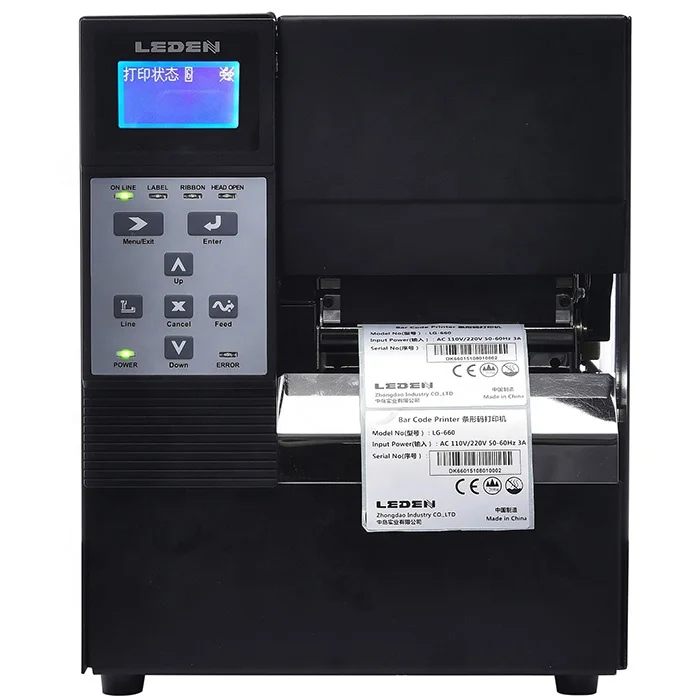
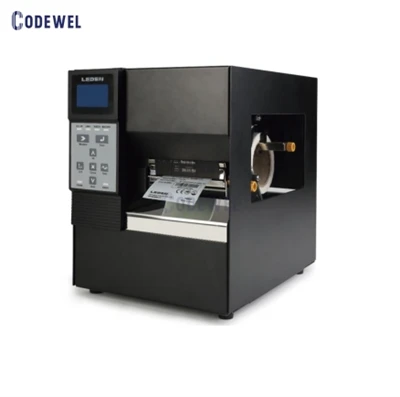
USB Industrial Printer Barcode
Specific operation
The first step
Connect the printer to the host, turn on the power of the printer, enter the folder "Printer and Fax" through the "Control Panel" of the host, click the right mouse button in the blank, select the "Add Printer" command, and open the Add Printer wizard window. Select the local printer connected to this computer and check the Automatic Detection and Installation of Plug and play printers check box.
The second step
At this time the host will be a new printer detection, will soon find that the printer has been connected, according to the prompt to the printer with the driver CD into the DRIVE, after the installation of the printer driver, in the "printer and fax" folder will appear the icon of the printer.
The third step
In the newly installed printer, right-click on the icon and choose "Shared" command, open the properties dialog for the printer, switch to the "sharing" TAB, select "share this printer," and in "the share name" fill in the name of the need to share in the input box, click the "ok" button to complete sharing Settings.
Product Features
Main Specification | |
Product Type | Industrial printer |
Model | LG660 |
Resolution | 600dpi |
Print Method | Thermal Transfer and Direct Thermal |
Print Speed | 4IPS (101.6mm/s) / 3IPS (76.2mm/s) |
Print Width | 108mm (4.25'') / 106mm (4.17'') |
Print Length | Min.0.16'' (4mm);Max.157.5''(4000mm) / Min.0.16'' (4mm);Max.78.7''(2000mm) |
Barcode | 1-D Bar codes Code 39, Code 93, EAN 8 /13 (add on 2 & 5), UPC A/E (add on 2 & 5), Interleaved 2of5, Codabar, Code 128 (subset A, B, C), EAN 128, UCC 128, UCC/EAN-128 K-Mart, ITF 14, GS1 DataBar 2-D Bar codes PDF417, QR code, Micro PDF417 and Micro QR code |
Processor | 32 BIT ARM |
Interface | USB2.0 Serial port:RS-232(DB-9) Ethernet10/100Mbps USB Host |
Memory | 4MB Flash; 16MB RAM |
Media | |
Media Type | Continuous form, gap labels, black mark sensing, and punched hole; label length set by auto sensing or programming |
Media Width | 1''(25.4mm)Min. - 4.64''(118mm)Max. |
Thickness | 0.003''(0.06mm)Min. - 0.01'' (0.25mm)Max. |
Label roll diameter | Max. 5" (127mm) Core diameter: 1'', 1.5'', 3''(25.4mm, 38.1mm, 76.2mm) |
Ribbon | |
Ribbon Types | Wax, Wax / Resin, resin |
Ribbon Length | 981’ (300m) |
Ribbon Width | 1.18''Min - 4.33'' (30mm - 110mm) |
Max Ribbon roll diameter | 2.67''(68mm) Core diameter: 1''(25.4mm) |
Product show


similar products
Certifications

FAQ
Q:What shipping methods do you provide and how long can I get the goods? A:DHL / EMS/UPS / TNT / FEDEX as requested, 3-6 days
Q:How about after-sale service? A:1 year warranty on all products, warranty period starts from the date of BL date.
Q:Can we have our logo or company name to be printed on the product or package? A:Yes, printer with logo or company name is acceptable, it will be accomplished by silk printing, please contact us for more details.
Q:Where can I download driver since my pc has no CD disk? A:Please contact with us for software.
The installation
Printer installation is generally divided into two parts, one is the printer and computer connection, the other is to install the printer driver in the operating system. If it is a printer with USB interface, it is ok to connect one end of the USB connection to the printer and the other end to the USB interface of the computer without turning off the computer host and printer during the installation.
Hot Tags: usb industrial printer barcode, China, manufacturers, suppliers, factory, buy, wholesale, price, cheap, free sample, made in China
You Might Also Like




Send Inquiry