



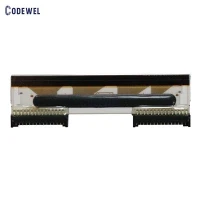
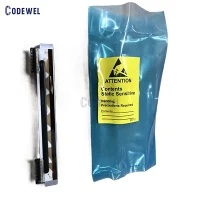


New Original Printhead Used For Argox CL-S703 300DPI Label Barcode Printer Print Head

New Original Printhead Used For Argox CL-S703 300DPI Label Barcode Printer Print Head

New Original Printhead Used For Argox CL-S703 300DPI Label Barcode Printer Print Head

New Original Printhead Used For Argox CL-S703 300DPI Label Barcode Printer Print Head

New Original Printhead Used For Argox CL-S703 300DPI Label Barcode Printer Print Head
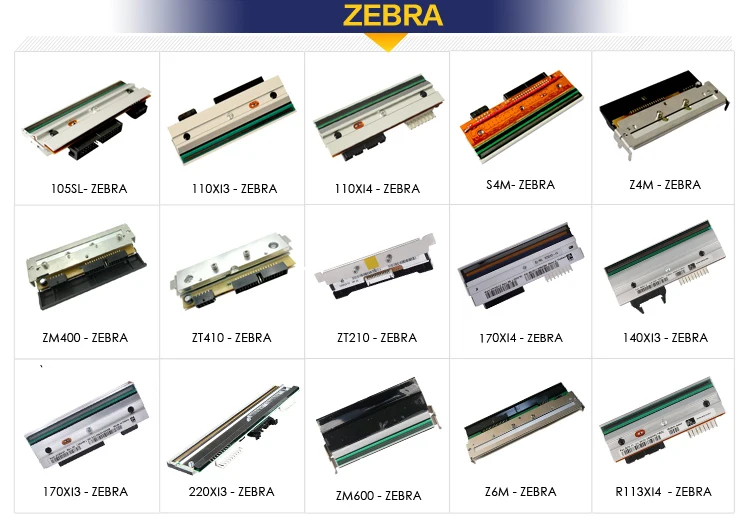
Citizen CL-S703 300DPI printhead
New Original Printhead Used For Citizen CL-S703 300DPI Label Barcode Printer Print Head
how to clean printhead
1. Gather necessary materials: a lint-free cloth, distilled water, and gloves.
2. Turn off the printer and unplug it from the power source.
3. Locate and remove the print head, following the manufacturer's instructions for your specific printer model.
4. Dampen the lint-free cloth with distilled water or a cleaning solution recommended by the printer manufacturer.
5. Gently wipe the print head's surface with the damp cloth in a back-and-forth motion. Avoid using any abrasive materials or excessive force, which can damage the print head.
6. If there is stubborn residue on the print head, allow the cleaning solution to sit on the surface for a few minutes before wiping it away.
7. Use a dry cloth to make sure the print head is completely dry before reassembling it and plugging the printer back in. 8. Run a nozzle check or alignment test to ensure that the print head is properly cleaned and functioning correctly.
|
|
|
|
 |
 |
| COME TO HOME PAGE > |
 |



Hot Tags: Citizen CL-S703 300DPI printhead, China, manufacturers, suppliers, factory, buy, wholesale, price, cheap, free sample, made in China
You Might Also Like


Send Inquiry