


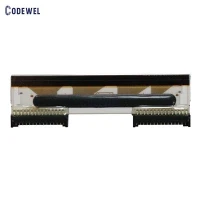
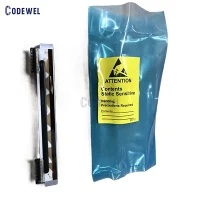
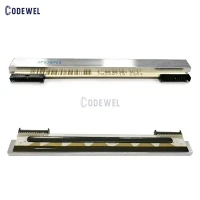
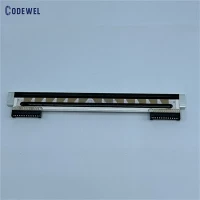


Thermal Print Head ZT210 ZT220 ZT230 200DPI P1037974-010 Printhead For Zebra Printer
Brand:Zebra
Product Model:ZT210 ZT220 ZT230 203DPI
Part Number: P1037974-010
MOQ:1PCS
Warranty:3 months or 30km
Lead time:within 5 days after receiving payment
Product descibetion
Phone Number
+86 19157920380
sales012@codewel.com

Products Description
The ZT200 Series is another line of industrial printers from Zebra Technologies, designed for mid-volume printing applications. The 200dpi printhead on the ZT200 Series printers provides a good balance between print quality and speed, making it suitable for a wide range of printing needs in industries such as manufacturing, retail, and healthcare.
The 200dpi printhead on the ZT200 Series printers allows for clear and legible printing of barcodes, labels, and other important information. While it may not offer the same level of detail as a 300dpi printhead, the 200dpi resolution is still sufficient for most standard printing applications.
Overall, the ZT200 Series with a 200dpi printhead is a reliable and cost-effective option for businesses looking for a mid-volume industrial printer that can meet their printing needs with good quality and efficiency.
Installing a Zebra printhead ZT210 ZT220 ZT230 200DPI is a relatively straightforward process, but it's important to follow the manufacturer's instructions to ensure proper installation and avoid damaging the printhead. Here are the general steps to install a Zebra printhead:
Turn off the printer and unplug it from the power source to prevent any electrical accidents.
Open the printhead mechanism by lifting the printhead assembly or removing the printhead cover, depending on the printer model.
Remove the old printhead by gently pulling it out from its socket. Be careful not to touch the printhead elements or any sensitive components to avoid damage.
Align the new printhead ZT210 ZT220 ZT230 200DPI with the printhead socket, making sure that it is correctly positioned and securely seated.
Carefully push the new printhead into place until it clicks or locks into position. Make sure it is properly aligned and level with the platen roller.
Close the printhead mechanism and secure it in place by following the manufacturer's instructions for your specific printer model.
Plug in the printer and turn it on. Run a test print to ensure that the new printhead is installed correctly and functioning properly.
It's important to refer to the user manual or installation guide provided by Zebra Technologies for your specific printer model, as the exact steps and precautions may vary. If you are unsure about how to install the printhead or encounter any issues during the installation process, it's recommended to contact Zebra's technical support for assistance.


| Product Name: | Zebra thermal printhead |
| Brand: | Zebra |
| Product Model: | ZT210 ZT220 ZT230 203DPI |
| Part Number: | P1037974-010 |
| MOQ: | 1 piece |
| Condition: | New Original |
| Warranty: | 3 months or 30km |
| Lead time: | within 5 days after receiving payment |

Hot Tags: thermal print head zt210 zt220 zt230 200dpi p1037974-010 printhead for zebra printer, China, manufacturers, suppliers, factory, buy, wholesale, price, cheap, free sample, made in China
You Might Also Like


Send Inquiry