



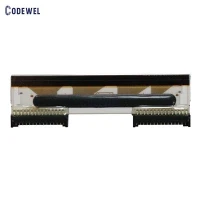
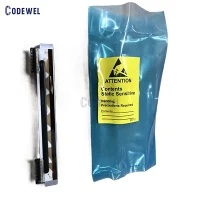


Sato Print Head M8459S / M8459Se
Sato Print Head M8459S / M8459Se 200 dpi GH000801A Printhead
M8459S / M8459Se 300DPI printhead
M8459S / M8459Se Sato
Original and New SATO Print Head
Sato Print Head M8459S / M8459Se 200 dpi GH000801A Printhead
Thermal Transfer: The use of a ribbon and a label. The ribbon is then melted to the top layer of the labels.
Adhesive Ooze: The back of the label contains an adhesive which allows it to stick to the product that you’re labelling. If there is too much adhesive or the roll is wound too tight the adhesive bleeds to the surface around the edges of the label.
Perforation: A slotted cut usually at the top of the form to ensure easy label tear away from the printer after the label has been printed. This is normally done when a printer is away from the primary application of the labels to the product.
When using either method of printing, it is important that you chose a good quality product.
When Direct Thermal labels are being used it is especially important that care is taken in the quality of the labels as this is what comes into constant contact with the print head. If the face sheet is of poor quality, if there is excessive adhesive ooze, or if the perforation is cut towards the face of the stock, you will have premature print head failures.
When using Thermal Transfer, it is important to make sure that both the ribbon and labels are of good quality and matched appropriately. The back of the ribbon comes into constant contact with the print head, which if is of poor quality or has been exposed to environmental factors outside its specification can leave unwanted deposits on the print head.
It is always recommended that the ribbon be slightly bigger than the label stock so that the label is not exposed to the print head. If the ribbon is of good quality, it will protect the print head from the abrasiveness of the label stock.
The ribbon can also build up Electrostatic Discharge (ESD) which can destroy the components of the print head. Make sure to operate the printer with all original parts and ensure that the covers are closed while the printer is in operation
| OEM | Printer Model | DPI | Part Number |
| SATO | CG208 DT | 203 dpi | R13869000 |
| SATO | CG208 TT | 203 dpi | R13864000 |
| SATO | CG212 DT | 305 dpi | R13870000 |
| SATO | CG212 TT | 305 dpi | R13865000 |
| SATO | CG408 DT | 203 dpi | R14481011 |
| SATO | CG408 TT | 203 dpi | R14464020 |
| SATO | CG412 DT | 305 dpi | R14482011 |
| SATO | CG412 TT | 305 dpi | R14465020 |
| SATO | CL408 / CL408e | 203 dpi | GH000741A |
| SATO | CL408NX | 203 dpi | R29797000 |
| SATO | CL412 | 305 dpi | GH000831A |
| SATO | CL412e | 305 dpi | GH000771A |
| SATO | CL412NX | 305 dpi | R29798000 |
| SATO | CL424NX | 609 dpi | R29799000 |
| SATO | CL608 / CL608e | 203 dpi | GH000661A |
| SATO | CL612 / CL612e | 305 dpi | GH000671A |
| SATO | CL6NX (203dpi) | 203 dpi | R32169600 |
| SATO | CL6NX (305dpi) | 305 dpi | R32169900 |
 |
| sato-printhead-M8459S / M8459Se-1 |
|
| sato-printhead- M8459S / M8459Se-2 |
 |
| sato-printhead-M8459S / M8459Se-3 |
|
|
 |
 |
| FAQ |
Q:How long i can get the feedback after we sent the enquiry? A:We will reply you within 12 hours in working day.
Q: Do you deal with urgent orders? A: Sure. Please contact ASAP for details.
Q: I bought from you once. Can I have a special offer this time? A: Contact for details. We do value our customers; we can and will offer you good price. Q: My printer does not print. What must I check? A: Check supply and ribbon. Send a corrected format and batch packet. Q: The printer prints, but only part of the data I sent. Why? A: The printhead might be dirty. Clean it and send a corrected format packet. Q: The print out is too light / too heavy. What should I do? A: Change the ticket/tag. Adjust the print contrast. Check the ribbon and the wide/narrow knobs. If itís too heavy, check the printhead as well. Q: I print a barcode but the printout can not be scanned. Why? A: The print speed might not be corre.
|
| COME TO HOME PAGE > |
 |


Hot Tags: Sato Print Head M8459S / M8459Se, China, manufacturers, suppliers, factory, buy, wholesale, price, cheap, free sample, made in China
You Might Also Like


Send Inquiry