


Choosing the right thermal transfer ribbon (often called "ribbon" or "carbon ribbon") isn't just about price - it directly affects print quality, barcode scanability, label durability, and printer head life. This guide walks you through the decision path: ribbon types → label material → environment → printer compatibility → testing → procurement best practices.
1. Ribbon types - the simple first split
Thermal transfer ribbons generally fall into three categories:
Wax - Most economical. Good for plain paper labels and short-term indoor use. Easy to print but low resistance to abrasion, heat, and solvents.
Wax-Resin - A balanced, versatile option. Better abrasion and chemical resistance than wax; works well on coated papers and many synthetics. Ideal for mixed-use applications.
Resin - Highest durability. Excellent resistance to solvents, abrasion, heat, and outdoor exposure. Best for synthetic labels (PET, PE, PP), industrial uses, and any application demanding long life.
Rule of thumb: start with the label material (below) and then choose the least expensive ribbon that meets the durability requirements.
2. Match ribbon to label material (first priority)
Label substrate drives your choice:
Uncoated paper: Wax usually works and is cost-effective.
Coated paper / semi-gloss / higher density paper: Wax-resin is typically recommended.
Synthetic materials (PET, PE, PP): Wax often fails - use wax-resin or resin depending on durability needs.
High-durability or harsh environments (chemicals, frequent abrasion, outdoor): Resin is generally required.
Using the wrong ribbon causes smudging, poor adhesion, fading, or complete loss of print under stress - which can break supply chains and cause scanning/traceability failures.
Attention: Thermal paper labels do not require barcode ribbon.
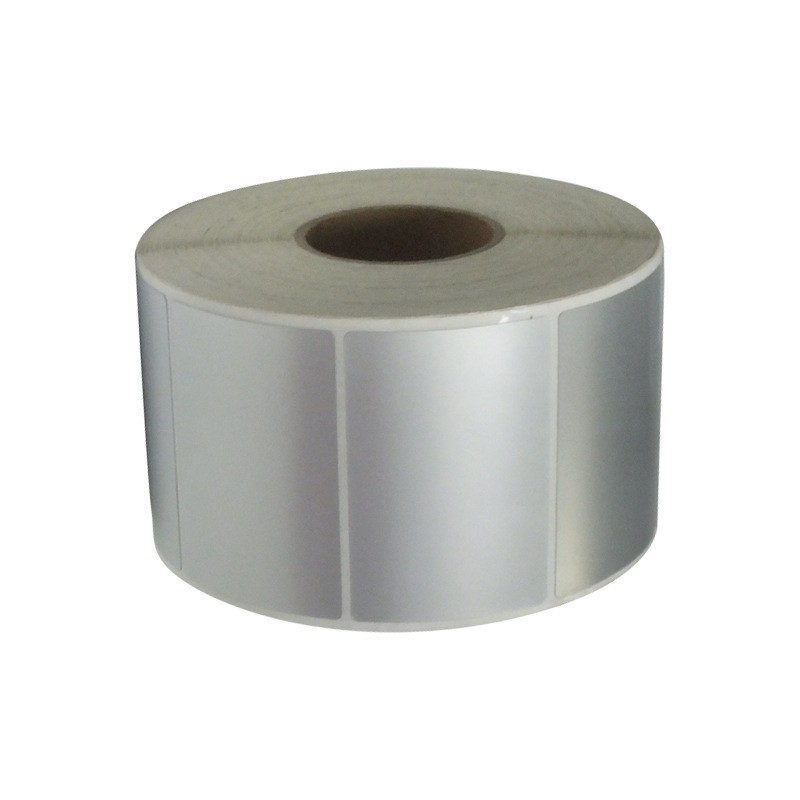
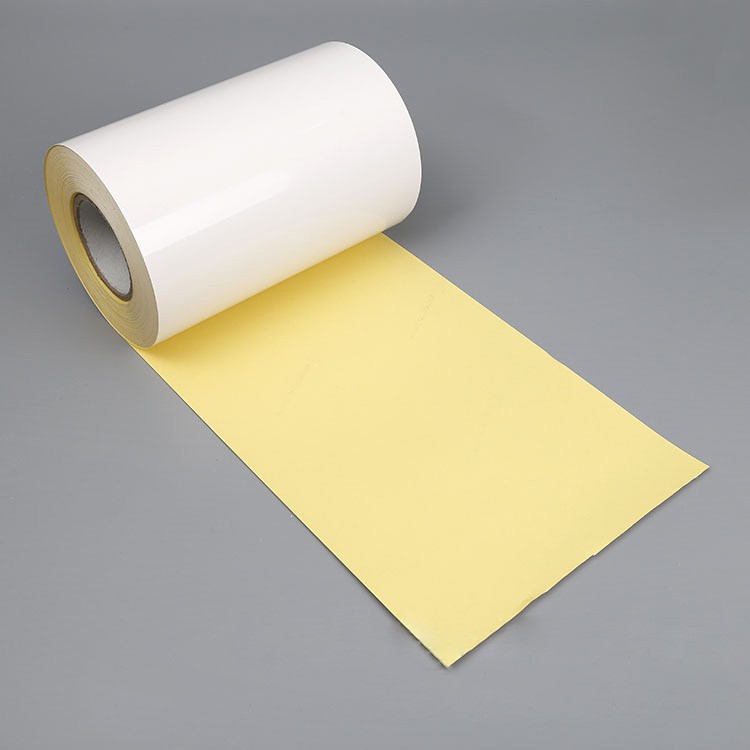
common Adhesive label Type


3. Consider the use environment
Think about what labels will face during their life:
Short-term, indoor: Wax or wax-resin.
Wet, humid, frequent handling: Wax-resin preferred.
Chemical exposure, oils, solvents, abrasion, long outdoor exposure or elevated temperatures: Resin is the safe choice.
Document the worst-case scenario (chemicals, temperature range, abrasion cycles) and choose the ribbon that survives that test.
4. Confirm printer and printhead compatibility
Not all ribbons work equally with all printers:
- Printhead type: flat-head vs near-edge vs TTO (Thermal Transfer Overprint) - each can have different ribbon recommendations.
- Ribbon orientation: "ink-in" vs "ink-out" mounting matters.
- Printer speed and dpi: Higher speeds and higher resolution (300–600 dpi) can require different ribbon formulations for sharp, consistent print.
Always confirm ribbon core size, roll width, and mounting format match your printer. Using an incompatible ribbon increases printhead wear and lowers print quality.
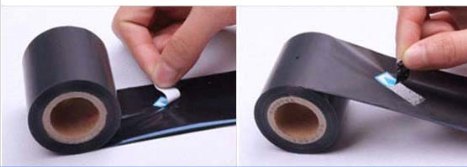
- How to distinguish between "ink-in" and "ink-out" ?
Attach adhesive labels to the inner and outer sides of the ribbon respectively, then peel them off. If the adhesive label has carbon powder stuck to it after peeling from the inner side, it is ink-in ribbon; otherwise, it is ink-out ribbon.
5. Key technical specs to check
When evaluating ribbon options, check:
- Substrate compatibility: Is the ribbon formulated for your label material?
- Optical density / blackness: Important for barcode readability.
- Backcoating and lubricants: Protect printhead and reduce static/friction during high-volume runs.
- Resin content: Higher resin = higher durability (but higher cost).
- Roll dimensions: Width, length, and core diameter must match your printer.
- Recommended printhead temperature & speed: Make sure your printer can operate in that range.
6. Testing SOP - do this before large orders
Before committing to a supplier or large quantity, run this quick test protocol:
- Obtain at least three ribbon samples (wax, wax-resin, resin where applicable).
- Print representative labels using your production printer at your typical speed & dpi.
- Perform durability tests:
- Abrasion test (finger rubs / tape pull).
- Solvent exposure test (isopropyl alcohol and the solvents relevant to your environment).
- Heat / cold cycling if labels face temperature extremes.
4. Scan barcodes immediately and after durability tests to confirm readability.
5. Inspect printhead wear after moderate runs; track any increase in replacement frequency.
6. Record results and calculate Total Cost of Ownership (material cost per label + incremental printhead replacement + downtime).
Make decisions based on test results, not only vendor claims or unit price.
7. Procurement pitfalls (avoid these)
- Buying solely on lowest per-roll price without considering yield, label coverage, or printhead impact.
- Skipping compatibility checks for new printers or label stocks.
- Failing to request samples or lab test data for chemical/UV resistance when required.
- Not accounting for total cost (material + maintenance + downtime).
8. Quick procurement checklist
- Label substrate confirmed (paper / coated / PE / PP / PET)
- Use environment documented (humidity, chemicals, abrasion, temperature)
- Printer model, printhead type, orientation, core size confirmed
- Required dpi and printing speed listed
- Samples requested and tested (three ribbons min)
- Barcode readability validated post-test
- TCO calculated (cost per usable label + maintenance)


