



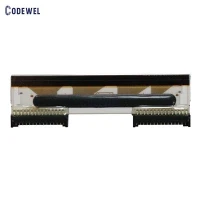


Zebra Printer Printhead ZE500-4 300DPI PN:P1046696-016
Brand:Zebra
Product Model:ZE500-4 300DPI
Part Number: P1046696-016
MOQ:1PCS
Warranty:3 months or 30km
Lead time:within 5 days after receiving payment
Products Description
The printhead ZE500-4 300DPI is a high-quality printhead designed for use in Zebra ZE500-4 label printers. It has a resolution of 300 dots per inch (DPI), which allows for crisp and clear printing of text, barcodes, and graphics on labels. This printhead is durable and long-lasting, providing reliable performance for high-volume printing applications. It is easy to install and maintain, making it a cost-effective choice for businesses that require high-quality printing on their labels.


| Product Name: | Zebra thermal printhead ZE500-4 300DPI |
| Brand: | Zebra |
| Product Model: | ZE500-4 300DPI |
| Part Number: | P1046696-016 |
| MOQ: | 1 piece |
| Condition: | New Original |
| Warranty: | 3 months or 30km |
| Lead time: | within 5 days after receiving payment |
Installing a Zebra printhead ZE500-4 300DPI is a relatively simple process that can be done in a few steps. Here is a general guide on how to install a Zebra printhead:
1.Turn off the printer and unplug it from the power source to ensure safety.
2.Open the printer cover to access the printhead assembly.
3.Locate the printhead assembly and remove the old printhead by gently pulling it out of its socket. Be careful not to damage any other components in the process.
4.Take the new printhead and carefully insert it into the socket, making sure it is securely in place.
5.Close the printer cover and plug the printer back into the power source.
6.Turn on the printer and perform a test print to ensure the new printhead is installed correctly and functioning properly.
7.If the test print is successful, you have successfully installed the new printhead. If there are any issues, double-check the installation and make sure the printhead is properly aligned and seated in the socket.
8.It is important to refer to the specific instructions provided by Zebra for your particular printer model, as the installation process may vary slightly depending on the model. If you are unsure or uncomfortable with installing the printhead yourself, it is recommended to seek professional assistance.

Hot Tags: Zebra Printer Printhead ZE500-4 300DPI PN:P1046696-016, China, manufacturers, suppliers, factory, buy, wholesale, price, cheap, free sample, made in China
You Might Also Like


Send Inquiry