Zebra QL420 vs QL420 Plus Printhead: Are They the Same?
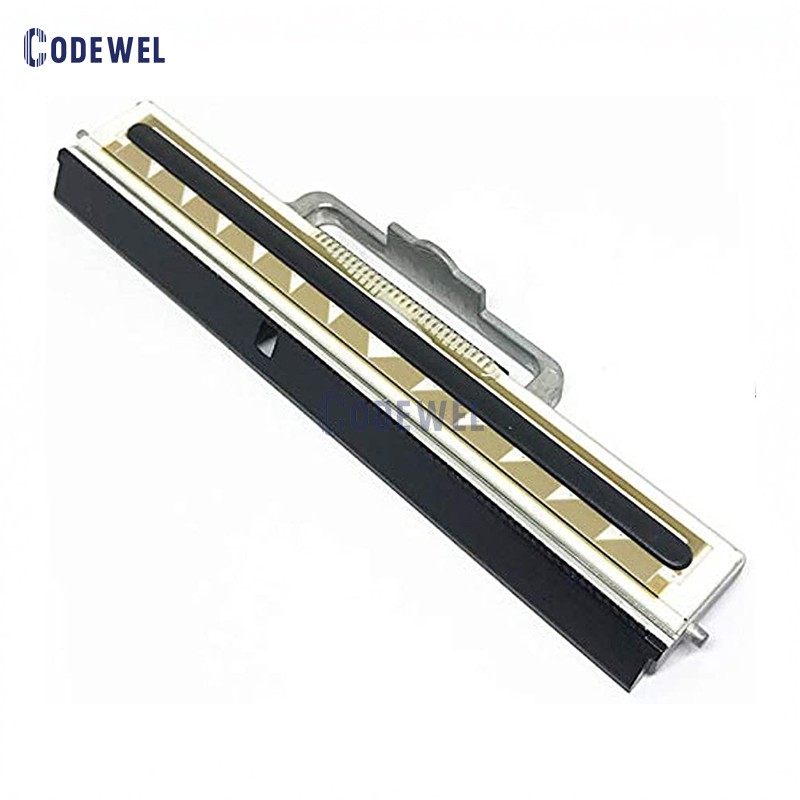
Quick Summary: Yes, the Zebra QL420 and Zebra QL420 Plus (QL420+) printheads are exactly the same. They share the identical original equipment manufacturer (OEM) part numbers, print resolution (203dpi), and physical design, making them 100% interchangeable. While the printer models differ in processing power and memory, their thermal printheads are completely identical.
Choosing the correct replacement printhead for legacy mobile printers can be confusing, especially when manufacturers release "Plus" editions of a popular series. If you are managing a fleet of Zebra mobile printers and wondering whether to buy a Zebra QL420 printhead or a Zebra QL420 Plus printhead, this guide will break down the technical realities, printer differences, and how to source the right replacement part.
Technical Specifications: QL420 vs QL420 Plus Printhead
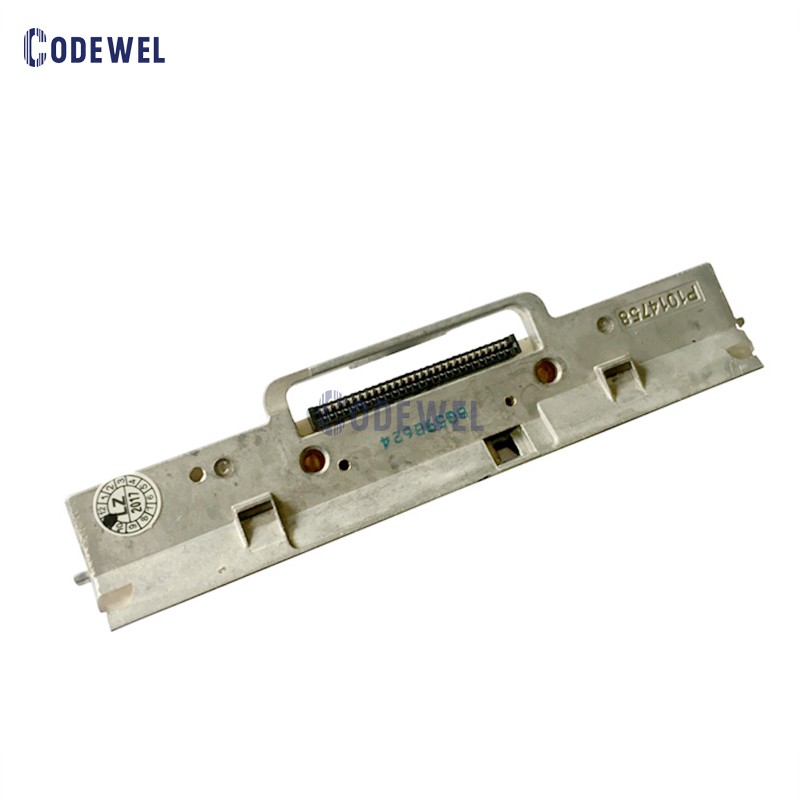
When inspecting the component level, the hardware that drives the direct thermal printing process on both devices is identical.
Because they share identical alignment pins, data ribbon cable connectors, and resistance values, you can install the exact same replacement module into either machine without any firmware or physical modifications.
If the Printhead Is Identical, Why Do the Printer Models Differ?
The distinction lies entirely within the printer's internal logic board and processing capabilities, rather than the printing mechanism itself. Zebra launched the QL Plus Series to meet the evolving demands of enterprise wireless security and complex 2D barcode processing.
Key Upgrades in the QL420 Plus Printer:
High-Performance Architecture
The QL420 Plus integrated a faster 32-bit processor capable of handling complex graphic formatting and data encryption on the fly.
Expanded Memory
The standard QL420 featured limited storage. The QL420 Plus upgraded the system to 16MB SRAM and 8MB Flash memory, allowing users to download larger font sets, graphics, and complex receipt formats.
Advanced Wireless Security
The Plus variant added robust support for modern wireless protocols (including advanced WPA/WPA2 encryption standards), which the older QL420 motherboard could not natively process without bottlenecks.
Despite these heavy system upgrades, the direct thermal line-printing mechanism remained unchanged to maintain compatibility with existing media rolls and to keep replacement part pipelines streamlined.
Maintenance Tips for Zebra QL420 / QL420+ Printheads
Mobile and industrial printing environments subject printheads to high friction, dust, and adhesive residue. To maximize the lifespan of your replacement printhead, follow these professional maintenance practices:
1. Clean with Every Media Change
Direct thermal printing requires the printhead to make direct contact with the heat-sensitive label material. Use a lint-free swab dipped in 99% Isopropyl Alcohol (IPA) to wipe along the thermal element line every time you change a label roll.
2. Monitor Printhead Pressure
Improper mechanical pressure can cause uneven print quality and accelerated wear on one side of the printhead element. Ensure the printhead latch mechanism clicks securely into place.
3. Choose Quality Direct Thermal Supplies
Low-grade thermal paper often contains abrasive topcoats or inconsistent chemicals that degrade the protective Diamond-Like Carbon (DLC) layer of the printhead resistors. Using premium, smooth thermal labels dramatically lowers total cost of ownership (TCO).
simulator
Lorem ipsum dolor sit amet consectetur, adipisicing elit. Recusandae quaerat modi iusto rem esse obcaecati quidem voluptatum maxime veniam maiores asperiores fugit reiciendis, quasi labore nobis quam eligendi ducimus excepturi?
simulator
Lorem ipsum dolor sit amet consectetur, adipisicing elit. Recusandae quaerat modi iusto rem esse obcaecati quidem voluptatum maxime veniam maiores asperiores fugit reiciendis, quasi labore nobis quam eligendi ducimus excepturi?
simulator
Lorem ipsum dolor sit amet consectetur, adipisicing elit. Recusandae quaerat modi iusto rem esse obcaecati quidem voluptatum maxime veniam maiores asperiores fugit reiciendis, quasi labore nobis quam eligendi ducimus excepturi?
Conclusion: Simplifying Your Inventory
If you operate a mixed facility utilizing both standard Zebra QL420 and upgraded QL420 Plus mobile barcode printers, you do not need to stock two different types of replacement printheads. A single inventory SKU matching part number RK18252-1 or RK17735-004 will service both models seamlessly. When sourcing parts, simply ensure you are purchasing a verified 203dpi direct thermal printhead compatible with the QL420 series to ensure crisp, reliable barcode execution across your entire logistics footprint.