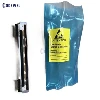
Zebra QLn220 vs. ZQ610 vs. ZR628 Printhead Compatibility: The Ultimate Technician's Guide

In enterprise mobile printing, maintaining a lean and efficient spare parts inventory is key to reducing Total Cost of Ownership (TCO). With Zebra's 2-inch mobile printer family spanning multiple generations-specifically the legacy QLn220, the regional ZR628, and the next-gen ZQ610-fleet managers and procurement teams frequently ask: Are these printheads interchangeable?
As a certified thermal printhead technician, I encounter this question weekly. Misidentifying printhead compatibility can lead to blown mainboards, pixelated barcodes, or costly printer downtime.
Below is the definitive technical breakdown of Zebra 2-inch mobile printhead cross-compatibility.
Quick Compatibility Matrix
Before digging into the engineering specifics, use this quick reference table to check your hardware inventory:
| Printer Model | OEM Printhead Part Number | Resolution | Cross-Compatibility |
| Zebra QLn220 | P1031365-070 | 203 DPI | 100% Identical to ZR628; Incompatible with ZQ610 |
| Zebra ZR628 | P1031365-070 | 203 DPI | 100% Identical to QLn220; Incompatible with ZQ610 |
| Zebra ZQ610 | P1099875-016 | 203 DPI | Incompatible with QLn220 / ZR628 |
1. Zebra QLn220 and ZR628: A Perfect Match
If you are trying to swap parts between a Zebra QLn220 and a ZR628, you are in luck. Under the hood, these two mobile printers share the exact same print engine architecture.
The ZR628 was released by Zebra as a specialized variant targeting specific global markets and enterprise contracts, but it retains the core blueprint of the QLn series.
The Printhead: Both models utilize the genuine Zebra printhead assembly kit Part Number: P1031365-070 (203 DPI).
Technician's Note: You can freely swap printheads between these two models without any risk of voltage mismatch, resistance errors, or physical mounting adjustments.
2. The ZQ610 Upgrade: What Changed?
The Zebra ZQ610 is the direct technological evolution of the QLn220. While Zebra brilliantly engineered the ZQ610 to be backward-compatible with legacy QLn accessories (such as batteries, chargers, and cradles), this backward compatibility does not apply to internal printheads.
Zebra updated the printhead assembly for the ZQ600 series to accommodate faster processing, more robust Link-OS features, and advanced power management.
- The Part Number Shift: The ZQ610 and ZQ610 Plus models require Part Number: P1099875-016.
- Physical and Electrical Impedance: While the heating element width (2 inches / 48mm) and resolution (203 DPI) remain identical, the physical mounting brackets and the electrical pin-outs differ.
- Firmware Lockout: Forcing a QLn220 printhead into a ZQ610 chassis will typically result in a "Printhead Error" or "Printhead Elements Damaged" message on the Link-OS display due to mismatched thermistor resistance values.
Warning for Fleet Managers: Attempting to modify a QLn220 printhead to fit a ZQ610 can void your device's warranty and risks overheating the print mechanism, potentially causing catastrophic mainboard failure.
Why Do Some Online Sellers List Them as Globally Compatible?
If you search marketplaces like eBay, Amazon, or Alibaba, you will frequently see product titles like: "Replacement Printhead for Zebra QLn220 ZQ610 ZR628 P1031365-070".
As a technician, let me clear up this confusion. This overlap occurs because of third-party aftermarket engineering.
Some aftermarket manufacturers produce a "unified" universal printhead body. They ship it with detachable modular brackets or flexible ribbon adapters that allow it to fit both mounting styles. While these alternative parts can save money on tight budgets, they are not true plug-and-play OEM components. If you rely on genuine OEM Zebra parts, you must buy the specific part numbers outlined above.
Pro-Tips for Extending Your Mobile Printhead Life
Regardless of which Zebra mobile printer you run, printheads are an expensive consumable. To maximize your ROI and minimize replacements, implement these daily habits:
Clean with Every Media Change
Use a Zebra cleaning pen or a lint-free swab dipped in 99% Isopropyl Alcohol (IPA) to wipe down the print elements every time you load a new roll of labels.
Optimize Print Darkness
Don't run your printers at maximum darkness settings. Turn up the speed and lower the darkness to reduce thermal stress on the resistors.
Avoid Abrasive Media
Cheap, unbranded direct thermal labels can have rough surfaces that wear down the printhead's protective coating prematurely. Stick to high-quality, top-coated media
Conclusion
When managing a mixed printer fleet, remember that the QLn220 and ZR628 share a common pool of printheads (P1031365-070), while your newer ZQ610 units require their own specific printhead assemblies (P1099875-016). Keeping these inventory pools separated will save your technical team hours of troubleshooting and prevent accidental hardware damage.