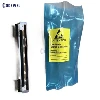
Types of Thermal Printer Rollers: Functions, Differences & Maintenance Guide
Introduction

In thermal and thermal transfer barcode printers, rollers play an essential role in media feeding, printing accuracy, and label handling. Although they may look similar, different printer rollers perform different functions.
Common types include Platen Rollers, Feed Rollers, Pinch Rollers, Drive Rollers, Guide Rollers, and Peel Rollers.
Understanding their differences helps users maintain their printers, troubleshoot printing problems, and select suitable replacement parts.
1. Platen Roller – Printing Support & Media Feeding
The Platen Roller is one of the most important components in a thermal printer.
Usually made with a rubber-covered surface, it is located directly beneath the thermal printhead.
Main Functions:
- Supports the label material during printing.
- Provides consistent contact pressure between the media and printhead.
- Drives the label forward through the printing area.
- Helps maintain printing quality and label positioning.
Common Problems:
- Faded or uneven printing.
- Labels slipping during feeding.
- Repeated print defects caused by surface damage.
- Reduced print quality due to roller wear.
Applications: Commonly used in Zebra, TSC, Honeywell, Godex, CAB, and other thermal barcode printers.

2. Feed Roller – Media Transportation

The Feed Roller, also called a Paper Feed Roller or Media Feed Roller, is designed to move paper or label material through the printer.
In many thermal barcode printers, the platen roller also performs the feeding function. However, some printers use additional feed rollers.
Main Functions:
- Transports labels along the media path.
- Maintains smooth and consistent media movement.
- Helps reduce slipping and feeding errors.
- Supports accurate label positioning.
Common Problems:
- Paper feeding failures.
- Inconsistent media movement.
- Label slipping or skewing.
- Frequent feeding interruptions.
Key Difference: A platen roller supports the printing process directly, while a separate feed roller primarily transports media.
3. Pinch Roller – Pressure & Traction Control
A Pinch Roller works by pressing media against another roller, usually a driven roller, to create sufficient traction.
It is commonly found in media feeding, liner rewinding, or peel-off mechanisms.
Main Functions:
- Provides pressure for stable media movement.
- Prevents slipping during feeding.
- Helps maintain consistent traction.
- Supports liner transportation in peel-off applications.
Common Problems:
- Unstable label feeding.
- Media slipping.
- Incorrect liner transportation.
- Poor traction due to worn rubber surfaces.
Key Difference: A pinch roller mainly provides pressure, while a drive roller supplies the rotational force needed to move media.

4. Drive Roller – Mechanical Power Transmission

A Drive Roller is a motor-driven roller responsible for moving labels or backing material through a printer mechanism.
Depending on the printer design, the platen roller or a dedicated feed roller may also serve as the drive roller.
Main Functions:
- Transfers motor-driven rotation to the media.
- Controls media movement.
- Supports continuous feeding.
- Helps maintain consistent transport speed.
Common Problems:
- Irregular media feeding.
- Roller slipping.
- Abnormal transport noise.
- Interrupted feeding caused by mechanical wear.
Key Difference: "Drive Roller" describes how a roller is powered, rather than always identifying a separate physical component.
5. Guide Roller – Media Path Guidance
The Guide Roller, sometimes called an Idler Roller, is used to guide labels, backing material, or thermal transfer ribbons through the correct path.
These rollers may rotate freely as the material passes over them.
Main Functions:
- Guides material through the printer.
- Helps maintain proper media or ribbon alignment.
- Reduces friction during transportation.
- Supports smooth ribbon and label movement.
Common Problems:
- Ribbon wrinkles.
- Media misalignment.
- Uneven material movement.
- Abnormal friction or noise.
Applications: More commonly found in industrial thermal transfer printers with complex media or ribbon paths.

6. Peel Roller – Label Dispensing Support

A Peel Roller, also known as a Peel-Off Roller in some printer designs, works as part of the label dispensing mechanism.
It helps guide or transport the backing liner after the printed label separates from it.
Main Functions:
- Supports automatic label dispensing.
- Guides the backing liner through the peel-off mechanism.
- Helps maintain liner tension and movement.
- Improves label dispensing consistency.
Common Problems:
- Labels failing to dispense correctly.
- Backing liner slipping.
- Inconsistent label separation.
- Liner feeding interruptions.
Important Note: Not every thermal printer has a peel roller. It is mainly associated with printers equipped with peel-off or label dispensing functions. The actual label separation usually occurs at a peel bar or peel edge.
7. Comparison of Common Printer Roller Types
| Roller Type | Primary Function | Typical Application |
| Platen Roller | Printing support and media movement | Printing area |
| Feed Roller | Transports media | Media feeding system |
| Pinch Roller | Provides pressure and traction | Feeding or liner transport |
| Drive Roller | Transfers driving force | Motor-driven transport |
| Guide Roller | Guides media or ribbon | Media and ribbon paths |
| Peel Roller | Supports liner movement | Peel-off mechanism |
Note: Roller names are not always mutually exclusive. The same roller may perform multiple functions depending on the printer design.

Conclusion
Thermal printer rollers are essential components that directly influence printing quality, media transportation, and equipment reliability.
While the Platen Roller supports printing, the Feed Roller transports labels, the Pinch Roller provides traction, the Drive Roller supplies movement, the Guide Roller maintains material guidance, and the Peel Roller supports label dispensing.
Choosing the correct roller and performing regular maintenance can help reduce printer downtime and improve operational efficiency.
About Codewel
Hangzhou Codewel New Material Co., Ltd. provides comprehensive barcode printing solutions, including thermal printheads, printer rollers, printer accessories, thermal transfer ribbons, and adhesive labels.
Whether you are a barcode printer distributor, repair service provider, or industrial printing equipment supplier, Codewel can help you source compatible printer spare parts and consumables.
Contact Codewel today to explore our barcode printer parts and one-stop printing solutions.
MAKE PRINTING EASIER.