When the bar code printer is printing, customers will encounter some small problems. For example, when the bar code printer prints, the fonts are not clear and there are burrs. Sometimes, the customer will respond that the bar code prints out and the effect is not clear. Yes, the first reaction of many people is the quality of the printer. In fact, most of the time, the following operations and inspections can solve this problem! How should we solve it in time?
main problem:
1. First check whether the installed labels and ribbons are in place and exclude man-made;
2. Observe whether the surface of the ribbon label is abnormal by naked eyes;
3. Check whether the printer parameter settings are changed; whether the settings and corresponding printing software settings are correct;
4. Think again from the perspective of printer adjustment;
5. Finally, start from the label ribbon consumables to determine whether it is a product quality problem.
common problem:
The overall content of the printed label does not look clear, the color is white, and there is a phenomenon such as roughness?
① Pick up the currently printed carbon ribbon and observe with naked eyes whether the coating (or understanding of the film surface and surface layer) of the ribbon is uniform;
② Clean the print head and rollers with industrial alcohol and cotton to remove dust;
③ Increase the printing temperature, slow down the printing speed, and see if it is ideal;
④ Adjust the overall pressure of the barcode printer to see if it is resolved;
⑤ Whether the label and the carbon ribbon match, and the compatibility of printing is ideal;
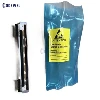
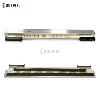
⑥ The resolution of the barcode printer is too low, it is recommended to replace the high-definition print head, or the barcode printer;
⑦The pulling force of the supply shaft or rewinding shaft of the carbon ribbon is inaccurate and needs to be adjusted to a suitable size;
⑧Others: You can also use a third-party printing software bartender and try a third-party driver. The effect may come out.